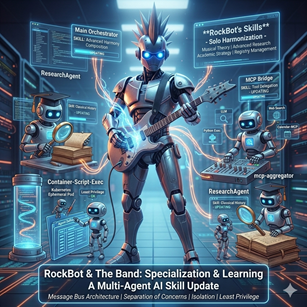
An AI agent, by itself, can’t actually do anything besides chat. And while it can be fun to have philisophical debates in isolation for a while, eventually we all want to get about the business of actually doing things.
Agents do things by calling functions or tools. These functions and tools are provided to the agent (the LLM) by the hosting runtime. For example, RockBot is a host that provides a set of tools that can be used by the AI agent.
The RockBot framework provides access to a whole set of subsystems, each of which provides tools and guidance to the agent on using the tools. The RockBot agent uses all the features of the framework, plus other capabilities.
You can think of these tools as being in logical groups by subsystem.
Tool Discovery
Each subsystem provided by the RockBot framework has the ability to provide its own base-level tool guide to the agent. This way the agent immediately knows how to use things like memory, skills, MCP servers, etc.
- list_tool_guides, get_tool_guide
When a subsystem is registered during app startup, its tool guide is added to the master list of guides, making it easy for the agent to get the appropriate guide to function. Skills layer on top of these guides, allowing the agent to learn over time.
Scheduling Tools
These are tools that allow the agent to schedule tasks to run at specific times.
- schedule_task — Schedule one-time or recurring tasks (cron)
- cancel_scheduled_task — Cancel a scheduled task by name
- list_scheduled_tasks — List all scheduled tasks
Subagent Tools
These tools allow the primary RockBot agent to spin off subagents to work in the background. Each subagent has access to the same tools and skills, but has its own context memory and a slice of working memory for sharing information with the primary and other subagents.
- spawn_subagent — Spawn an isolated subagent for complex/long-running tasks
- cancel_subagent — Cancel a running subagent by task ID
- list_subagents — List active subagent tasks
- report_progress (subagent-only) — Report progress back to the primary agent
Agent-to-Agent (A2A) Tools
Sometimes a subagent isn’t enough, and it is necessary to interact with other autonomous agents in the environment. These tools allow the RockBot agent to interact with other autonomous agents.
- invoke_agent — Call an external A2A agent by name and skill
- list_known_agents — List all known external agents
In a business environment, you can imagine how your agent might interact with other agents that help to manage sales, inventory, production, delivery, finance, and other automation across your organization.
Agent Examples
In the RockBot repo there are two agents to demonstrate how to use the RockBot framework to build agents other than RockBot itself. The first is as simple as you can get. The second is a real external agent that the RockBot agent uses when asked to do any research.
- Sample agent - Agent that echoes any text sent
- Research agent - Agent that researches a topic and returns consolidated results
Memory Tools (long-term)
RockBot maintains long-term memory, and these are the tools that support that memory concept.
- save_memory, search_memory, delete_memory, list_categories
ℹ️ There are no explicit tools for conversational memory because conversational memory is always part of the agent’s context window. Other memories are brought into context on-demand.
Working Memory Tools (session scratch space)
RockBot also maintains working memory, and these are the tools for interacting with that memory.
- save_to_working_memory, get_from_working_memory, delete_from_working_memory, list_working_memory, search_working_memory
ℹ️ As you can see, the RockBot framework and agent have three levels of memory: conversational, working, and long-term. This provides a rich way to manage context window usage, subsystem interactions, and long-term concepts in an elegant manner.
Skill Tools
RockBot has skills, and these are the tools it uses to interact with its own set of skills.
- get_skill, list_skills, save_skill, delete_skill
Skills develop over time automatically, sometimes refining the base-level subsystem tool guides, other times being created out of whole cloth by the agent as it learns.
Rules & Configuration Tools
These are tools used to manage rules that alter the agent’s behavior. These rules are in addition to the built-in soul.md and directives.md files that are central to the agent’s identity.
- add_rule, remove_rule, list_rules, set_timezone
Web Tools
These are tools that allow the agent to search (using a Brave API key) and retrieve web pages.
- web_search — Search the web, returning titles/URLs/snippets
- web_browse — Fetch a page and return content as Markdown (with chunking)
MCP Integration Tools
These are tools that allow the agent to find and use MCP servers without having those MCP servers and tools always consuming large amounts of context memory.
- mcp_list_services — List connected MCP servers
- mcp_get_service_details — Get tool details for an MCP server
- mcp_invoke_tool — Execute a tool on an MCP server
- mcp_register_server — Register a new MCP server at runtime
- mcp_unregister_server — Remove an MCP server at runtime
- Plus all tools dynamically registered from configured MCP servers
ℹ️ These tools are a built-in equivalent to the separate mcp-aggregator project.
MCP Server Examples
In my current live environment, here are some of the MCP servers I have registered with the RockBot agent.
- calendar-mcp - access all my email and calendar accounts
- onedrive-personal - personal OneDrive
- onedrive-marimer - work OneDrive
- todo-mcp - a simple to-do list implementation
- github - read/write to my GitHub repos
- routing-stats - get info on RockBot LLM routing
- openrouter - get info on openrouter.ai usage
- azure-foundry - get info on Azure Foundry usage
Script Execution
When an agent needs to run some code, it uses these tools to execute scripts. The script executes in an ephemeral container that runs in a separate Kubernetes namespace.
- execute_python_script — Run Python in a secure ephemeral container
In the future we may support other types of script, such as TypeScript or bash. Python was the obvious start point given its broad use, flexibility, and how well LLMs can generate Python code.
Conclusion
Agents without tools aren’t very useful in any real-world scenarios. The RockBot framework provides a range of subsystems you can use when building an agent, and each subsystem provides a set of tools to the agent.
The RockBot agent itself has access to all these subsystems and associated tools. And some subsystems, like A2A, MCP, web, and scripts, open the door for the agent do do virtually anything by collaborating with other agents or invoking external tools, APIs, or code.