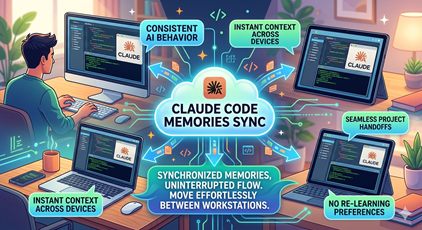
I work across three different physical PCs, and on a couple of those I also bounce between Windows and WSL. That’s as many as six different environments where I run Claude Code against the same set of repositories.
Claude Code keeps a memory system on disk — a per-project directory under ~/.claude/projects/<project-hash>/memory/ containing a MEMORY.md index plus a small pile of topic-specific markdown files. Over time those memories get good. Claude learns my preferences, project conventions, things to avoid, things to keep doing. The first conversation on a fresh machine is fine. The fiftieth conversation, after Claude has accumulated real context, is meaningfully better.
The problem: those memories live on whichever PC I happened to be working on when they got written. Move to a different PC, and Claude is back to the day-one version of itself for that project. Move to WSL on the same PC, and it’s also a different memory store. Up to six divergent copies of the same project’s memory, none of them aware of the others.
That’s frustrating in a specific way: Claude gets really good on one machine, I move to another, and suddenly it’s worse. Same model, same repo, same me — but the procedural knowledge didn’t come with me.
So I built a tool to fix it: claude-memsync.
What it does
claude-memsync is a small background daemon that keeps the per-project memory directories in sync across all of my workstations. Claude reads and writes its memory files exactly like it always does — the daemon watches those files and propagates changes through a private git repo that acts as the transport layer between PCs.
The architecture is intentionally boring:
~/.claude/projects/<hash>/memory/         (Claude reads + writes here)
                  │
                  │  fsnotify watcher, 3s debounce
                  ▼
~/.claudesync/projects/<hash>/memory/     (mirror — git work-tree)
                  │
                  │  git add, commit, pull --rebase, push
                  ▼
                <remote>                  (private GitHub repo)
A private GitHub repo is the source of truth. Each workstation has a daemon that watches the local memory directories, mirrors changes into a git work-tree, and pushes them up. On an idle tick (about once an hour), the daemon does a cheap git ls-remote to see whether anyone else has pushed something. If the remote SHA hasn’t moved, it does nothing. If it has, it pulls and propagates the changes back into Claude’s memory directory.
Cost of running it when nothing is happening: one ls-remote round-trip per hour. Effectively free.
The interesting part: merging MEMORY.md
The naive version of this tool — just git pull --rebase and git push on a timer — would work most of the time and fall apart in exactly the case I care about most.
MEMORY.md is an index file. It points at the topic-specific memory files and gets edited frequently from whichever machine is currently active. If two PCs both add a new memory entry while disconnected, a line-level git merge will produce conflict markers right in the middle of the file. Claude would then read a MEMORY.md full of <<<<<<< and >>>>>>> lines, which is exactly the wrong outcome.
So claude-memsync ships with a custom git merge driver, claude-memmerge, that understands the section-block structure of MEMORY.md and unions the entries from both sides instead of trying to merge them line-by-line. The daemon registers it via .gitattributes:
MEMORY.md merge=claude-memory-index
The other memory files have unique names per topic, so collisions are rare in practice. When they do happen, standard git conflict markers show up and I resolve them by hand.
Deletes are tricky (and handled)
The other place naive sync falls down is deletes. If I delete a stale memory on PC A, that delete needs to make it to PC B. But “file not in Claude’s directory but present in the mirror” is ambiguous — it could mean “the user just deleted this” or “PC B hasn’t received this new file yet.”
The daemon resolves the ambiguity with a per-PC manifest at ~/.claudesync/.state/manifest.json listing which files were present at the last successful sync. A file in the mirror, missing from Claude, and in the manifest is a real delete. A file in the mirror, missing from Claude, but not in the manifest is an inbound new file from another PC and gets copied into Claude.
First-run-on-a-PC takes the safe path: never infer a delete with no prior state, just bring everything together. After that, deletes propagate cleanly.
What gets synced
Just the per-project memory directories — ~/.claude/projects/<hash>/memory/. Not synced:
~/.claude/CLAUDE.md(your global instructions)~/.claude/agents/,~/.claude/commands/,~/.claude/skills/- Sessions, todos, cache, history, settings
Memories are the thing that actually represents accumulated learning. Everything else is either configuration I want to keep per-machine, or ephemeral state that doesn’t need to travel.
A path-consistency caveat
Claude derives the per-project memory directory name by escaping the project’s absolute path. If I open the same repo at C:\src\foo on one PC and D:\dev\foo on another, Claude considers them different projects and so does the sync tool. I keep my repos at the same path everywhere (S:\src\... on all my Windows machines, matching mount points in WSL), which sidesteps the problem entirely.
Where it lives
The repo is at github.com/MarimerLLC/claude-utils. It’s a single Go binary (well, two — the daemon and the merge driver, which have to live next to each other), runs on Windows, Linux, and macOS, and installs itself to auto-start at logon without needing admin rights. The README has the full setup walkthrough.
The hope is simple: when Claude gets really good on one of my PCs, that “really good” moves with me to the next one. So far, that’s exactly what’s happening.