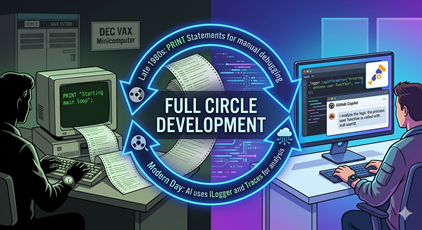
When I first started as a professional developer, it was on a DEC VAX minicomputer. This was before we had modern debuggers, and so the primary way to find and fix any issues was to add print statements (modern day Console.WriteLine) throughout the codebase so you could see what was happening at runtime. It was a tedious process, but it was the best we had at the time.
That was back in the late 1980s, and from the early to middle 1990s through today I’ve enjoyed having access to powerful debuggers that allow me to step through code, inspect variables, and understand the flow of execution in a much more efficient way. It was hard to imagine going back to the days of print statements for debugging. Until AI.
What I find interesting, is that today, with AI development tools like GitHub Copilot and Claude Code, the primary way to allow the AI to effectively debug and troubleshoot code is to use print statements!
We’ve literally come full circle in our development practices. We started with print statements as our main debugging tool, then moved on to sophisticated debuggers, and now we’re back to using print statements as a key part of our AI-assisted development process.
Of course, today the “print” statements are probably actually being generated by an ILogger implementation that (in .NET) uses something like serilog for file output, or open telementry (otel) for distributed tracing, but the concept is the same. We’re using logging to provide insights into our code’s behavior, which is essentially what we were doing with print statements back in the day.